Have a question? See an error?
Contact
VBA Decoded
© 2026 All Rights Reserved.

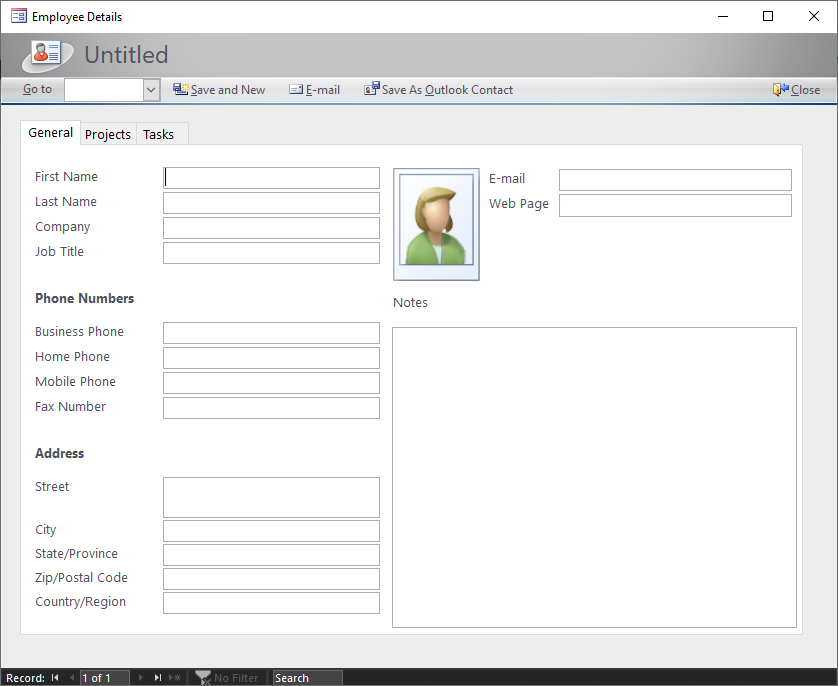
This is from a default template in MS Access. Not the worst I've seen, but looks like it came from Windows XP.
This is another MS Access template. A little better, maybe Windows 7 now. Still a lot to be desired.
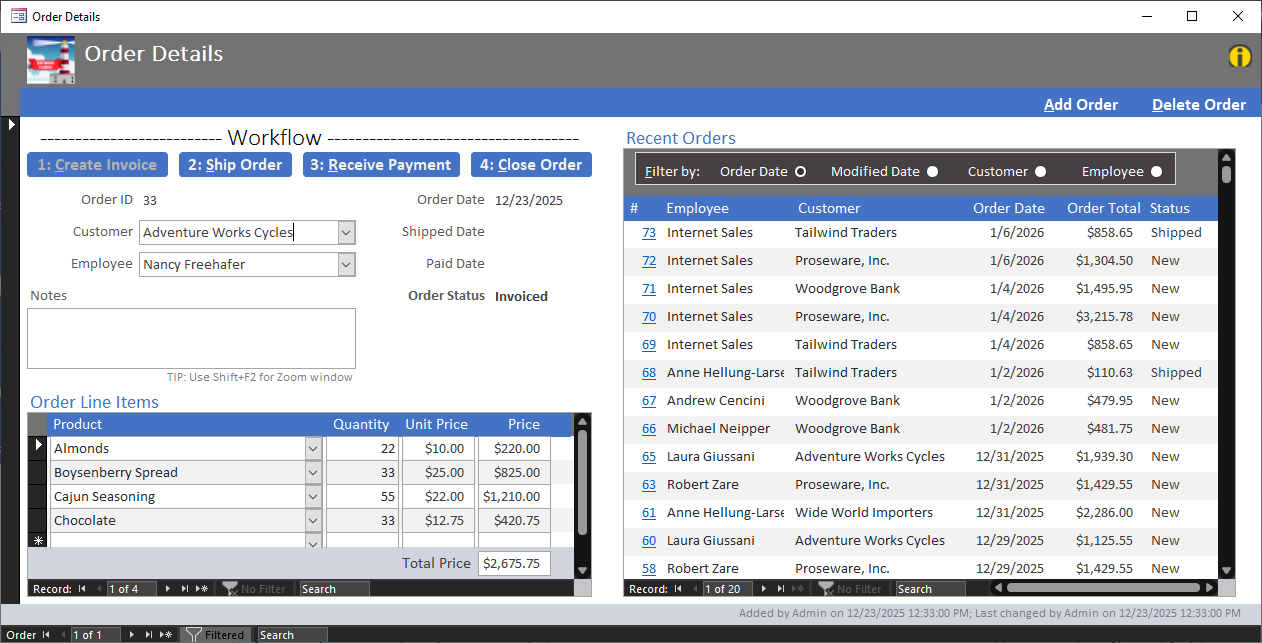
Other than just looks, customization is a big missing factor. Having the ability to switch themes at run-time is what I'm really tackling here. Here are some of the issues laid out...
Default method is a Theme file or manually setting all controls. Both are very manual and hard to adjust.
Theme file changes require restart unless done in design view.
Ew.
I've read about many people (especially executives) not considering MS Access at all simply because it doesn't look modern.
For a good application, it's important that users enjoy the experience and they can easily figure out how to use the app.
Good UI/UX is extremely important, even on internal applications, which is usually the purpose on an MS Access Database. It makes your application consistent, easy to predict, and easier and faster to learn how to use.
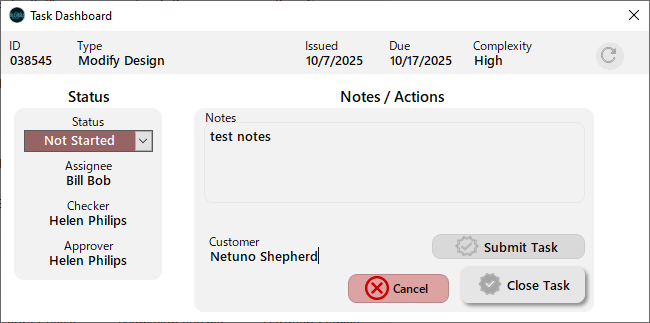
Let's take a look! In the sample database, all you have to do is go to the Theme Editor and click on a theme name to set it.
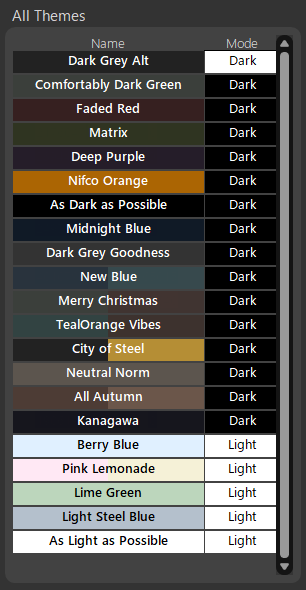
Then, close that screen and go to the sample Task Tracker.
Here are my favorite themes...
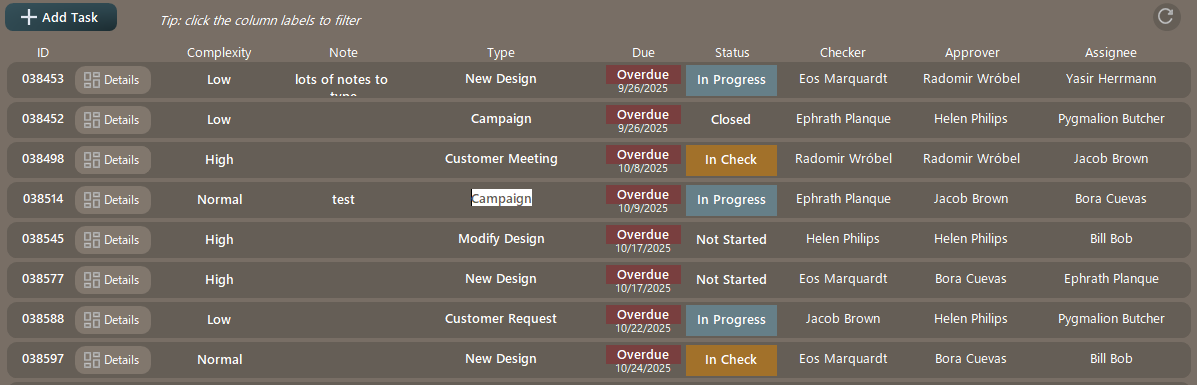
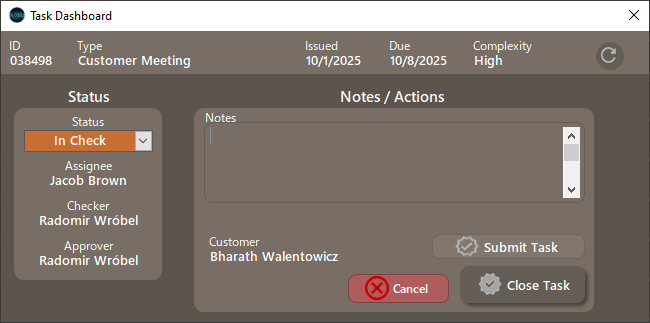
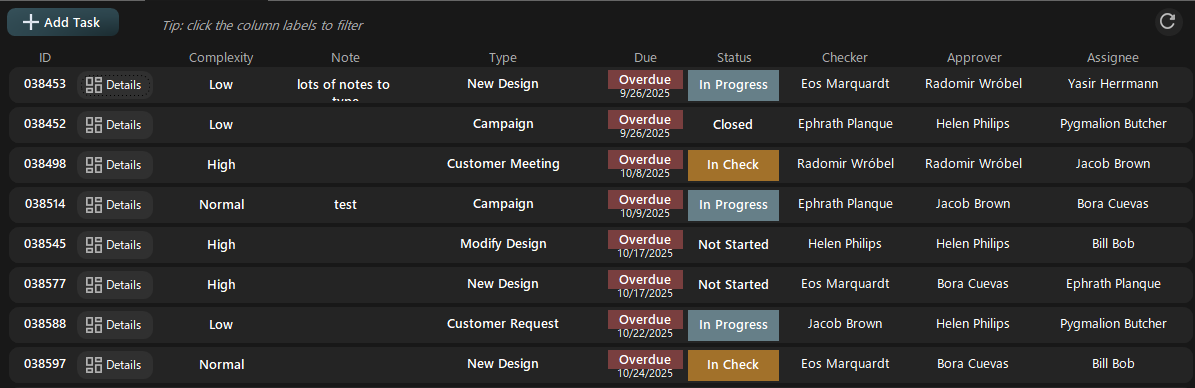
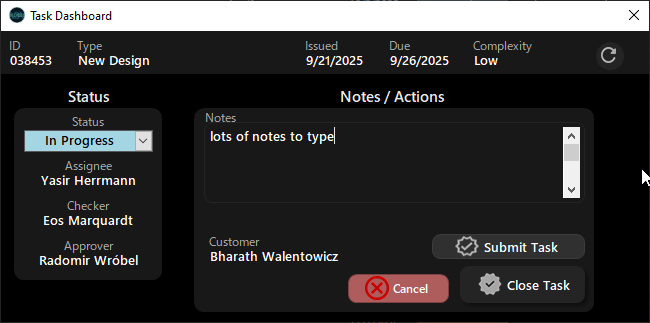
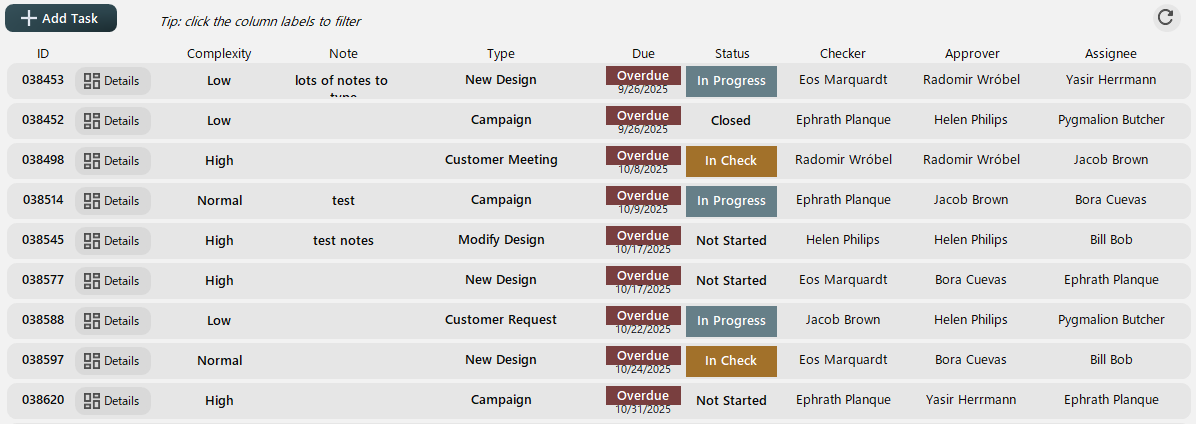
You'll notice on the Theme Editor page there is the sample layouts as well. These show how I usually set things up using Card based UIs.
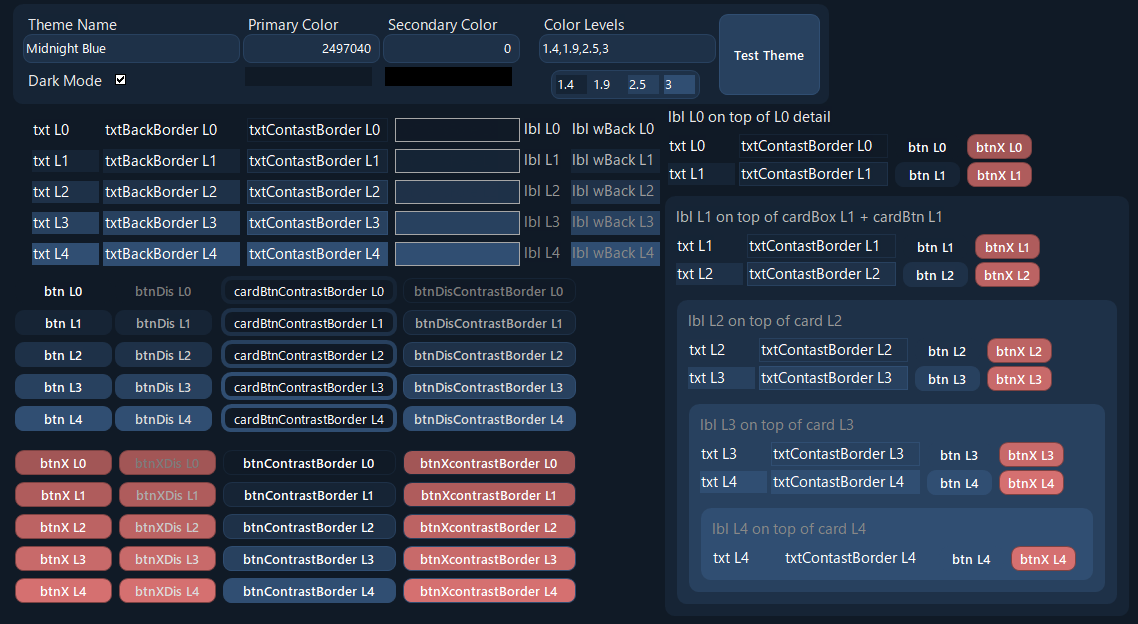
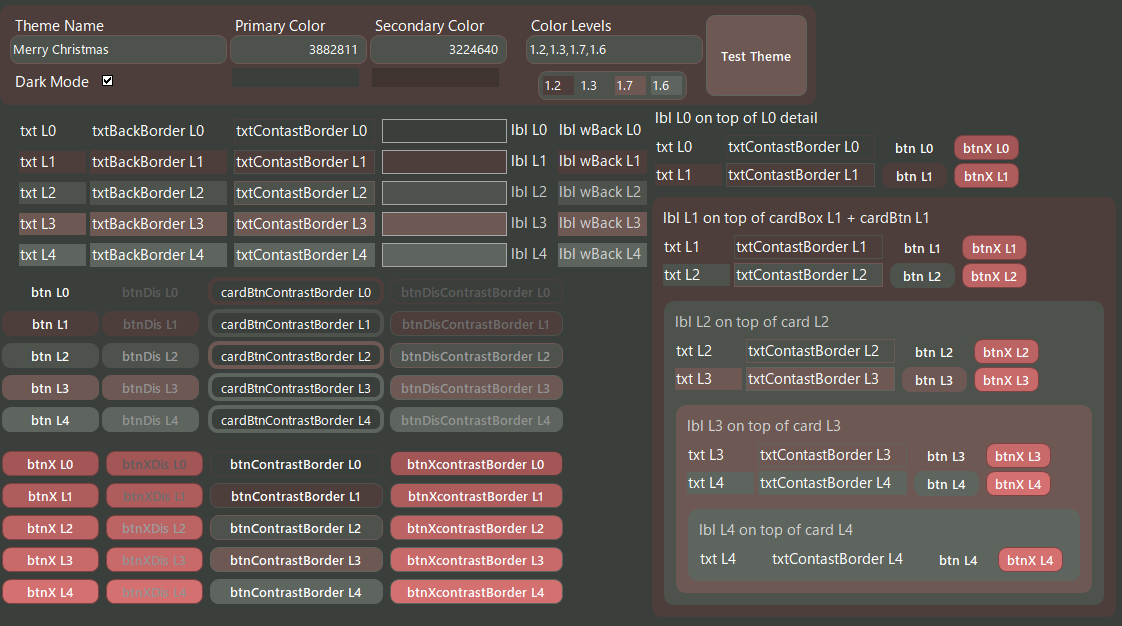
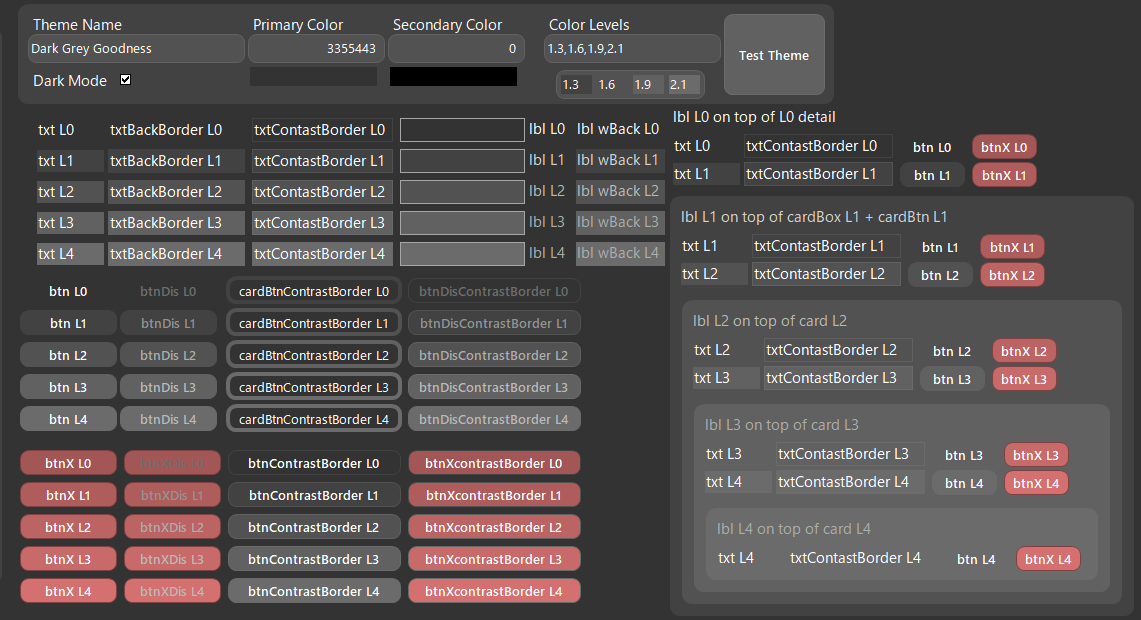
There's not a ton going on. Basically there is a giant Select Case that loops through all the controls on the selected form and sets them to values that are calculated/defined based on the theme table. I'm not going to put the code in this article since it will be changing as I continue to develop it - also it is quite large. You can find the most up to date code in the GitHub Repository.
Here's the setup...
These values are available in this help doc: https://github.com/vbadecoded/ms-access-theme-editor/wiki/Tags
Not much here, just ID, theme name, and some colors / scalars.
Here's where everything actually happens.
Fastest way (in my opinion) to understand this setup fully and to implement it yourself is to download the sample database from GitHub.
MS Access Theme EditorThis sample database also includes the theme editor (hence the name) that allows you to edit the default themes and to add new ones.
To add this to an existing MS Access Database, just export the frmThemeEditor, sfrmThemeEditor and the VBA module to your database.
Then, the time consuming part - add a tag to every control in every form you want to implement this one, then you can put te setTheme command on every form.
This requires the prerequisite that you are using a split database structure. If you are not, and you have multiple users, please do some research and implement a split structure. There are plenty of sources out there (I don't have an article about this).
You then need a table in your backend that has a record per user. In this table, add a column for themeId (number, single). Then, add a dropdown in a setting form somewhere to allow the user to edit this value based on the themes table.
Last, you need to add a line in your startup procedure to pull the theme from this table and set it to the database. That's it - done!
I've never actually had issues with this. I've used it in production (~150 user database) since 2023-ish, and have had no issues. Please let me know if you have issues.